
CCTV Monitors in Sri Lanka
Hikvision monitors from 21.5 to 55 inches for watching your CCTV cameras live from the NVR or DVR, at a reception, security room or shop counter.
4 products, from Rs. 24,150. Prices include warranty. Call 077 20 89 555 for installation or a quotation.
All CCTV Monitors
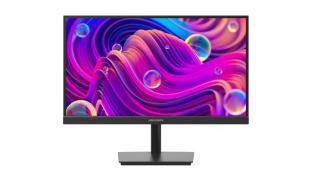 −12%
Hikvision DS-D5022F2-1V2 21.5 inch FHD 100Hz VA Monitor
Rs. 24,150Rs. 27,300
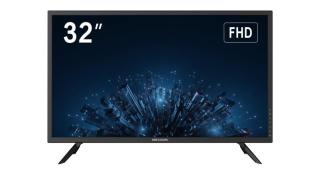 −12%
Hikvision DS-D5032F3-1V0S 32 inch FHD 75Hz VA Monitor with Speaker
Rs. 92,685Rs. 104,775
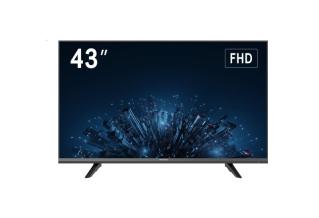 −12%
Hikvision DS-D5043F3-1V0S 43 inch FHD 60Hz VA Monitor
Rs. 139,409Rs. 157,593
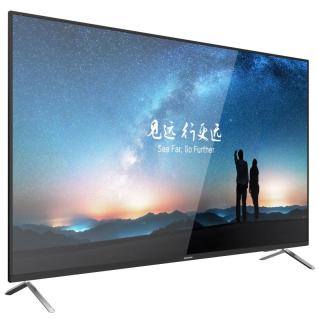 −12%
Hikvision DS-D5055UC-C 55-inch 4K Monitor
Rs. 278,319Rs. 314,622
Choosing CCTV Monitors
A CCTV monitor connects to your NVR or DVR with an HDMI or VGA cable and shows all your cameras on one screen, so staff can watch the premises without opening the phone app. Every monitor here has both HDMI and VGA inputs, so it works with any Hikvision recorder, and most mount on a wall with a standard VESA bracket.
Choose the size by how far away people sit and how many cameras you show at once. The 21.5-inch monitor suits a desk or shop counter with four to eight cameras. A 32-inch or 43-inch screen suits a reception or security room, and a 55-inch 4K monitor shows many cameras clearly on a wall.
Full HD is enough for most systems. A 4K monitor is worth it when you show 16 or more cameras at once or use 4K cameras, so each camera tile stays sharp. Our team can mount the monitor, connect it to your recorder and set up the camera layout for you.
CCTV Monitors: questions buyers ask
Can I use a normal TV or computer monitor for CCTV?
Yes, any screen with an HDMI or VGA input will show the picture from an NVR or DVR. A CCTV monitor is the better choice when the screen stays on all day, as in a security room or at a reception, and when you want it on the wall with a VESA bracket. For a screen you switch on now and then, a TV you already have is fine.
What size monitor do I need?
For one person at a desk or counter, 21.5 inches is enough for four to eight cameras. For a reception or a security room where people watch from a few metres away, choose 32 or 43 inches. A 55-inch screen suits a wall display showing many cameras at once.
Do I need a 4K monitor?
Only for large systems. When the screen is split into 16 or more camera tiles, or you use 4K cameras, a 4K monitor keeps each tile sharp. For four to nine cameras, a Full HD monitor shows them clearly and costs much less.
How do I connect the monitor to my recorder?
Run an HDMI cable from the HDMI output of the NVR or DVR to the monitor. Use HDMI rather than VGA when both are available, because it gives a sharper picture. HDMI cables are reliable up to about 10 metres; for a monitor further away, ask us about an HDMI extender.
Need help? See our CCTV installation service, the CCTV camera price guide, or all products.